The app internal portal
The IYOPRO Portal provides information to the following sections:
-
business process documentation
-
workflow automation
To open the portal, click on the Portal button in the ribbon menu or open the Repository.

| The Portal button may open the web portal if you didn’t change your preference settings. |
| The portal may open as Window within the full featured IYOPRO user interface. To expand / collapse the portal to / from the browser window, click on the expand / collapse button in the upper right corner. |
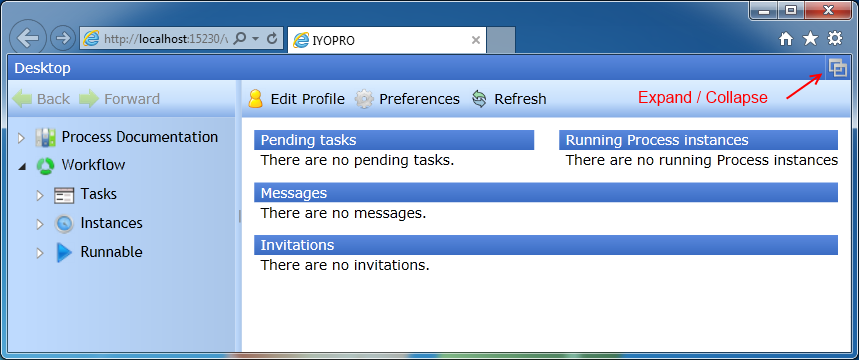
The IYOPRO Portal consists out of three root nodes in the left navigation pane. These are
-
Desktop
The desktop contains an overview of your current session as well as options to customize your user profile and your preferences. -
Process Documentation
Navigate through this node if you wish to study the released process documentation of your organization. -
Workflow
Navigate through this node if you participate in workflows and i.e. need to complete an activity.